How to restore a deleted board or folder
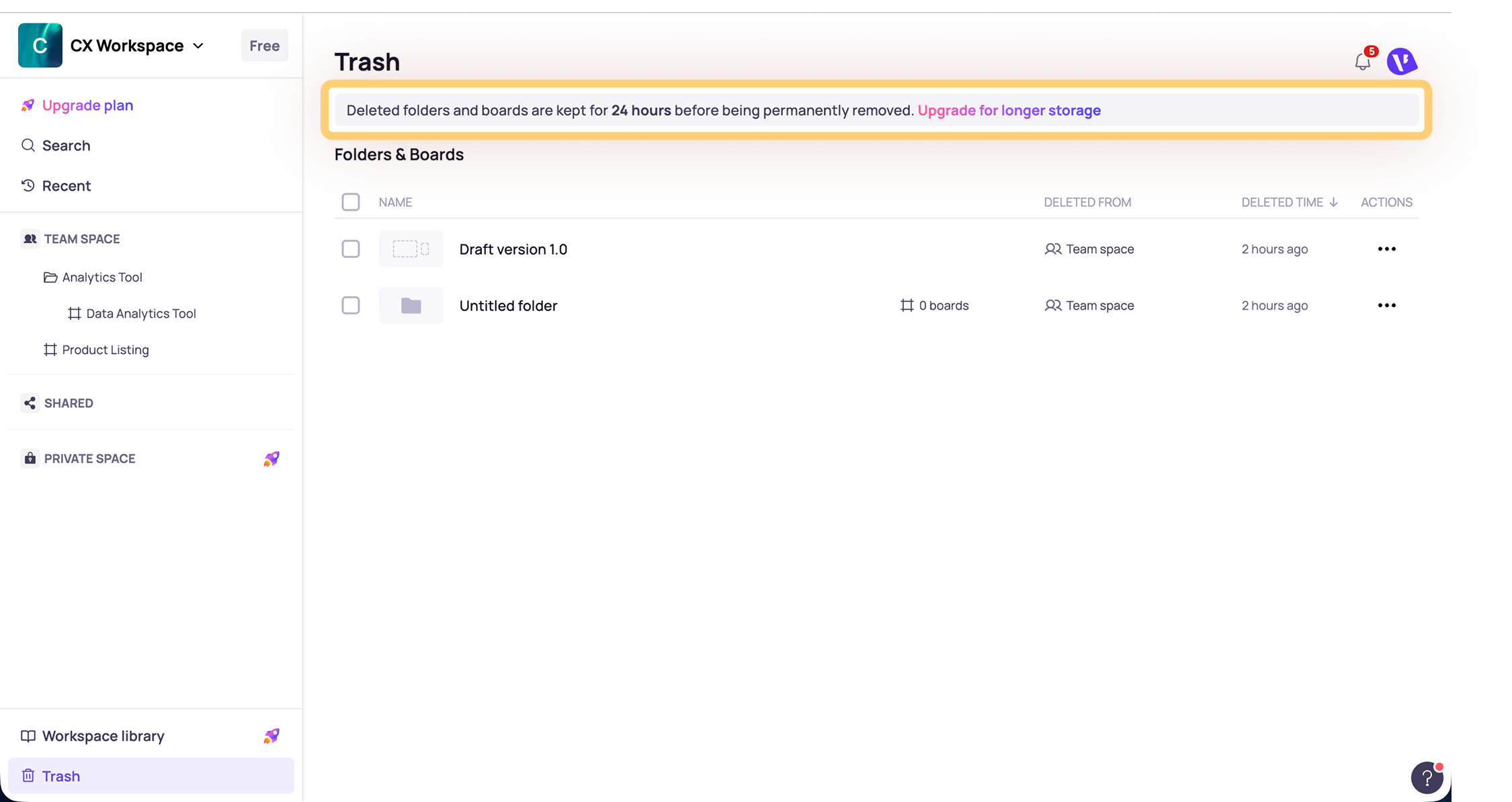
Deleted boards and folders are stored in Trash of their workspace before they are permanently deleted. The recovery period may vary depending on your workspace plan. Once the recovery period has passed, deleted boards and folders cannot be restored.
Restore a deleted board or folder
- Open the workspace where the board or folder was belong to.
- From the left panel, go to Trash.
- Find the deleted board or folder you want to restore.
- Restore the item using either of these options:
- Open the Actions menu for the item and select Restore.
- Select the item, then choose Restore.
The board or folder will be restored to the workspace.
Permanently delete a board or folder
If you no longer need a deleted board or folder, you can permanently remove it from Trash.
- Go to Trash.
- Find the board or folder you want to permanently remove.
- Open the action menu for that item.
- Permanently delete the item using either of these options:
- Open the Actions menu for the item and select Delete permanently.
- Select the item, then choose Delete permanently.

Once permanently deleted, the board or folder cannot be restored.
Recovery period by plan
Plan | Data deletion recovery period |
Free | 24 hours |
Pro | 30 days |
| Business | 90 days |

There is a note in Trash indicating how long deleted items will remain available before permanent deletion.
Note
- Once the recovery period has passed, deleted data cannot be restored.
- If you cannot find the deleted item in Trash, it may already be permanently deleted or outside the recovery period.
Need more help?
If this does not solve your issue, contact support and include a screenshot if possible.